Demonstrations of the work

See the kinds of learning products this makes possible.

Selected implementations and reference journeys show the breadth of the learner experience, specialist interaction and professional operations—without relying on invented results or testimonials.

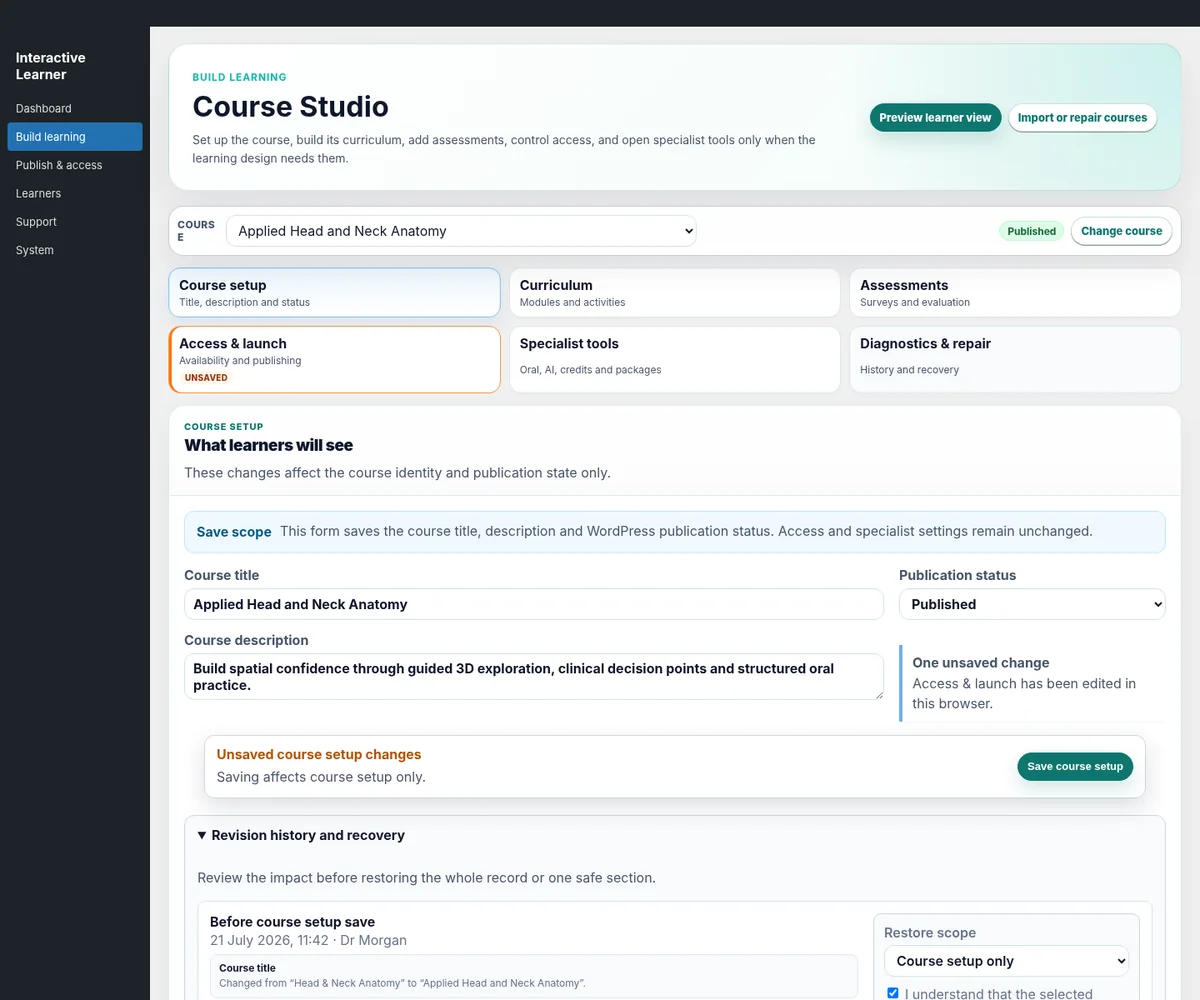
Interactive Learner administrative dashboard
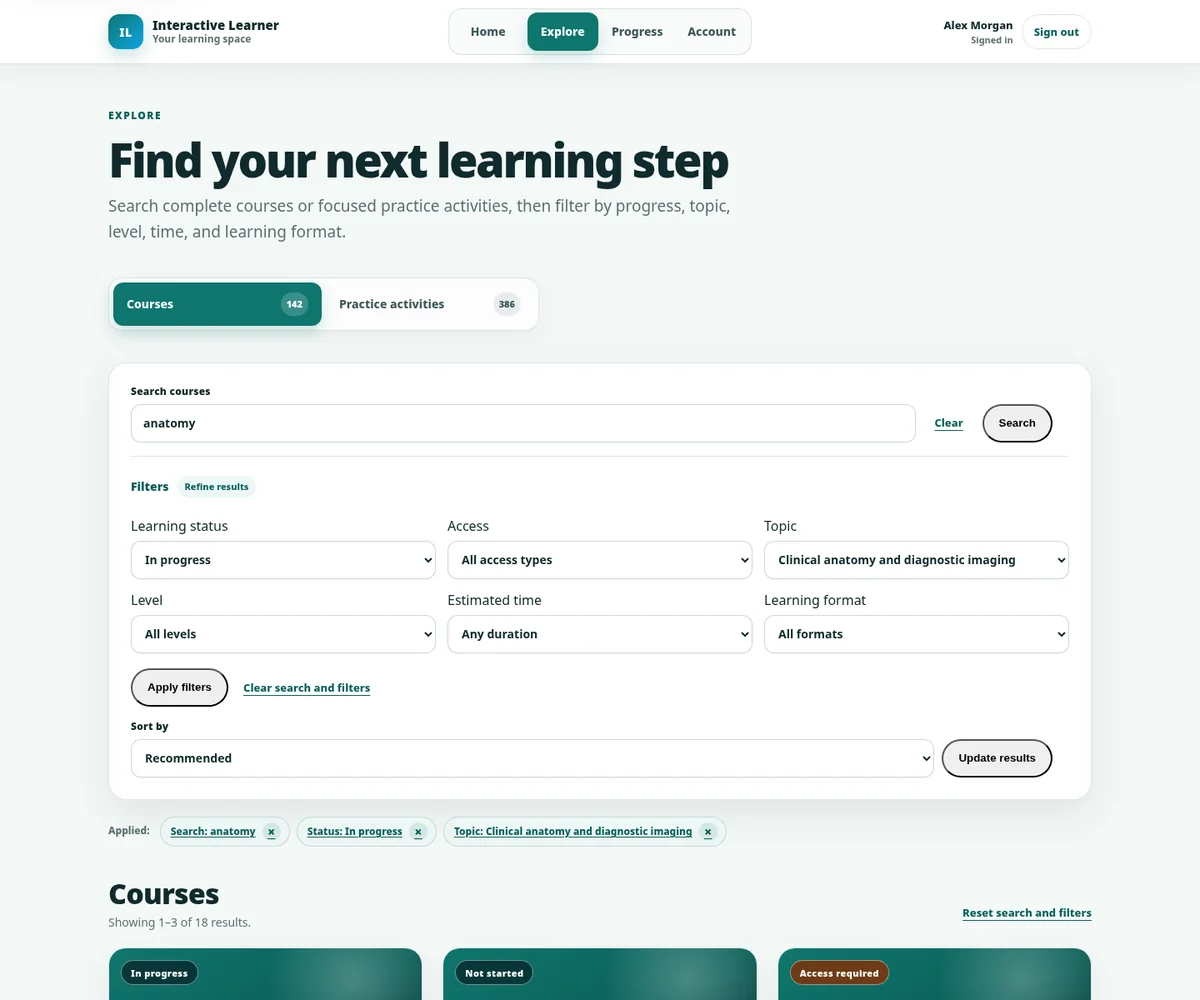
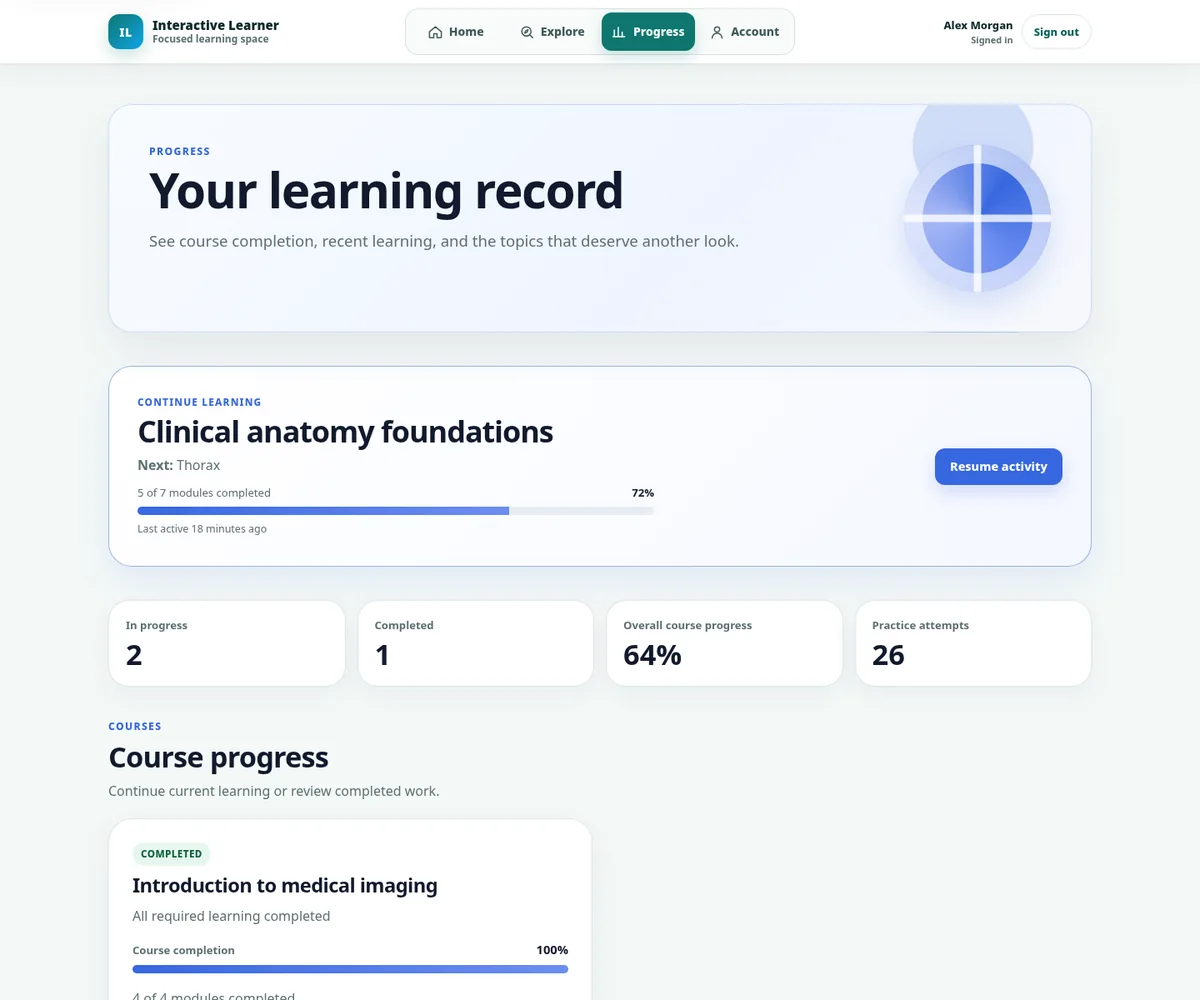
Interactive Learner learner progress interface

Selected product journeys

Different subjects. One coherent product approach.

Each example uses a different combination of content, practice, media, access and operations. The point is not to force every project into one model.

OtoPrep · Specialist exam preparation

Connect written knowledge, oral performance and learner progression.

OtoPrep demonstrates how a specialist education business can combine written examination preparation, AI-supported oral practice, feedback, access, subscriptions and learner progress within one branded product family.

Question banksMock examsAI oral simulationFeedbackProgressSubscriptionsOperations
What it demonstrates: Interactive Learner can support both the learner-facing practice journey and the operational systems needed to publish, monitor and improve a complex commercial education offer.
Interactive Learner oral practice and feedback interface
Mobile oral practice interface
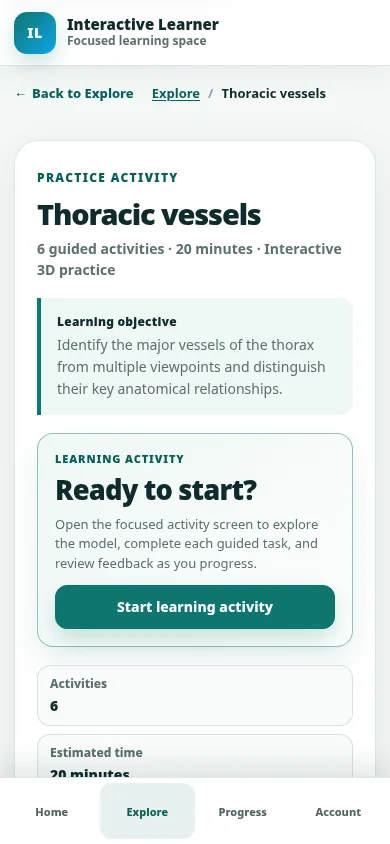
3D Otolaryngology · Visual and spatial education

Turn anatomy and procedures into guided visual learning.

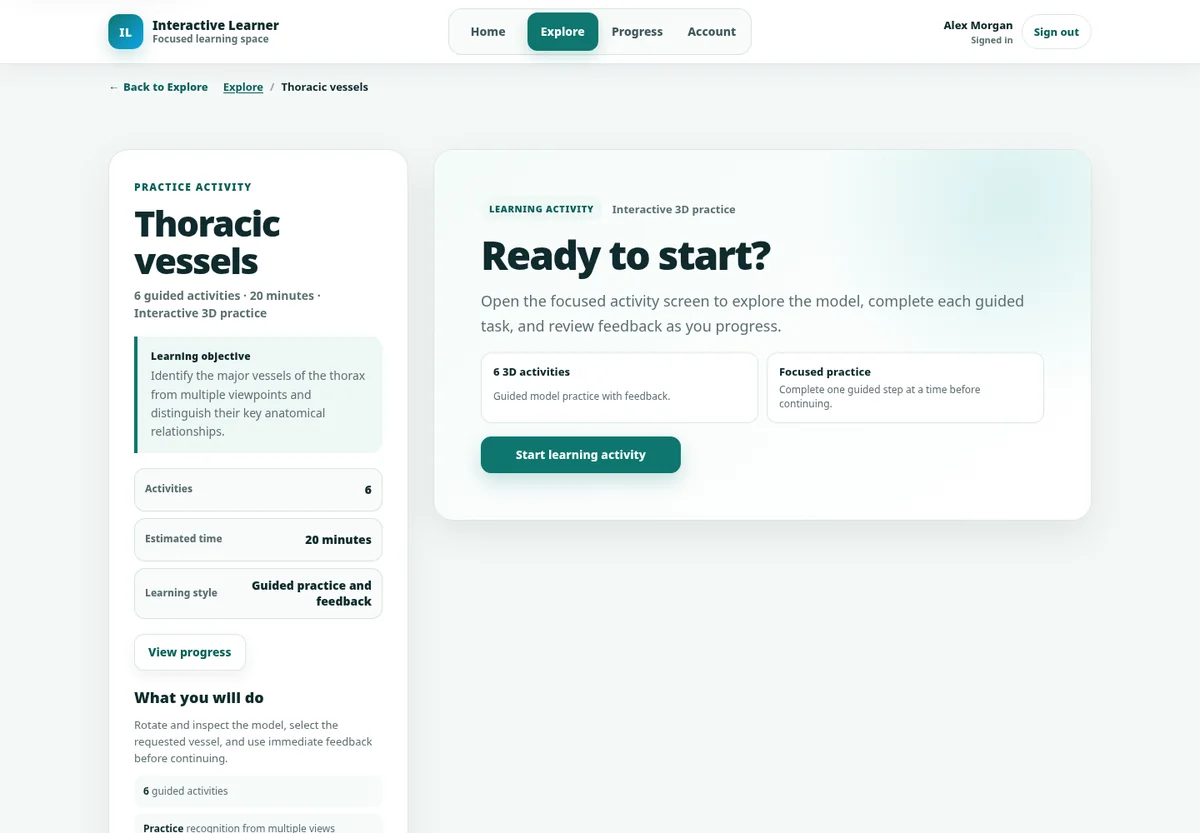
3D Otolaryngology demonstrates a model-based teaching approach using structured views, labels, hotspots, animation, accessible teaching media and practice activities rather than leaving learners to rotate an unexplained model.

3D modelsGuided viewsLabels and anchorsAnimationTeaching videoApplied practice
What it demonstrates: Visual assets become more valuable when they are connected to a teaching sequence, explanation, activity and next step.
Use the controls or select a numbered hotspot.
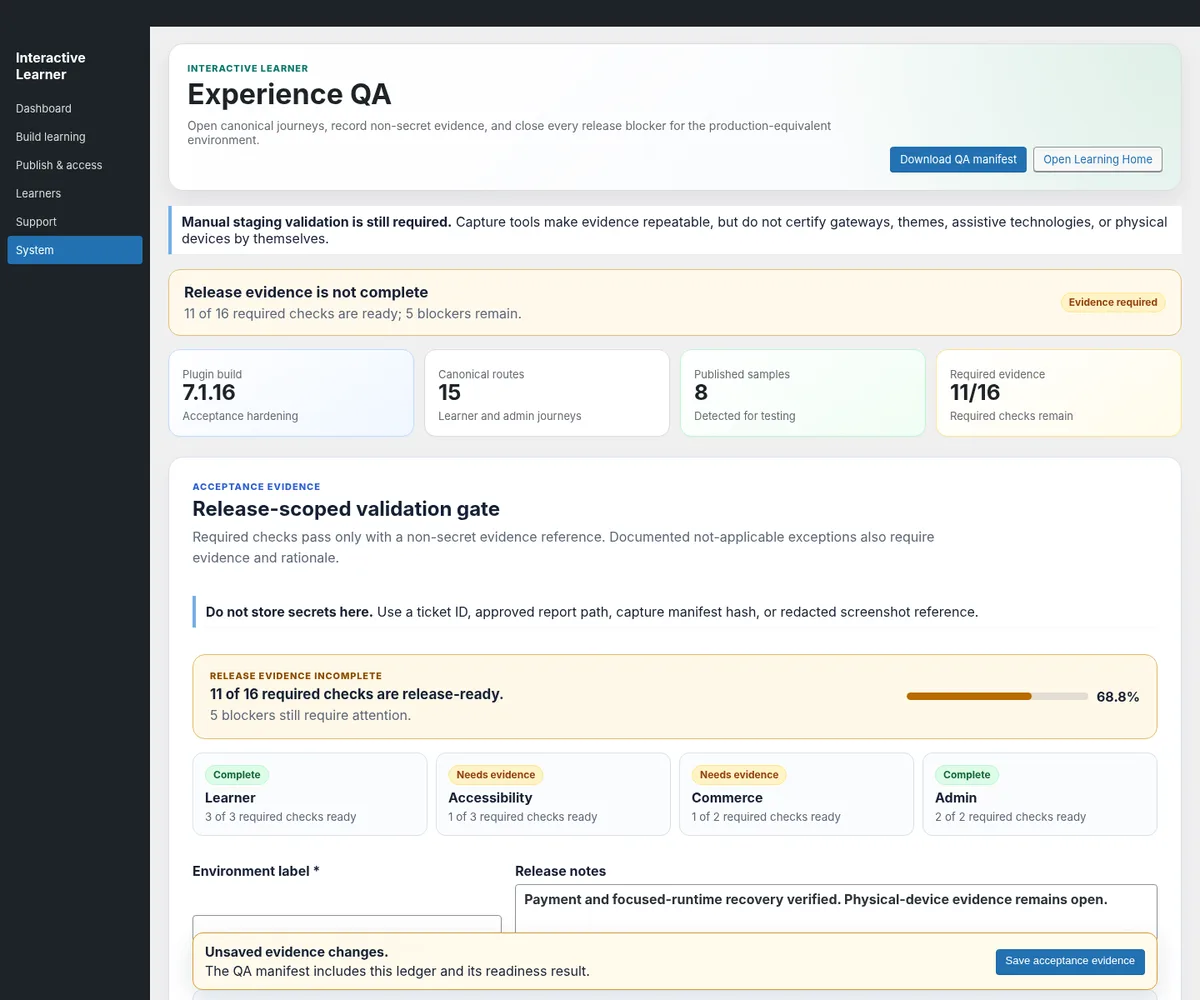
Professional learning portal · Reference implementation

Make governance and operations part of the product.

This reference journey demonstrates Course Studio, package workflows, Experience QA, controlled publication, learner records and operational priorities for organisations that need more than a public course catalogue.

Course StudioPackage workflowsExperience QAGradebookCertificatesSupportOperational dashboard
What it demonstrates: A polished learner experience depends on clear authoring, review, release and support workflows behind it.
Interactive Learner Experience QA release interface

Product evidence

Look beyond the landing page.

The platform includes learner, authoring, quality, account and operational surfaces. These views show the breadth that a complete implementation can draw on.

Your work belongs here

The most persuasive demonstration uses your content.

A representative prototype can use one of your real topics to test the learning format, production workflow, expert review and visual direction before a larger commitment.

01

Choose one topic

Pick something important enough to be meaningful and contained enough to review quickly.

02

Share source material

Provide the documents, questions, media, model or expert access that already exists.

03

Build a real prototype

Create the learner experience and show the operator workflow needed to sustain it.

04

Decide from evidence

Review the real output, scope the wider product and agree the next production stage.

Start with the real learning challenge

Show us what you want people to understand, practise or achieve.

No coding brief is required. Bring the audience, outcome and whatever source material already exists.